JSON vs YAML is a question every developer runs into sooner or later. Both formats store the same kind of data: objects, lists, strings, numbers and booleans. The difference is how they look and where they are used. APIs speak JSON, while Kubernetes, Docker Compose and GitHub Actions expect YAML. If you work with both, you will convert between them often. This guide explains the differences, shows the same data in both formats, and lists the YAML mistakes that break deployments.
Need it converted now? Paste your data into the free JSON to YAML converter and get valid YAML instantly.
JSON vs YAML at a glance
| JSON | YAML | |
|---|---|---|
| Syntax | Braces {}, brackets [], quotes |
Indentation and dashes |
| Comments | Not allowed | Allowed with # |
| Readability | Good for machines | Easier for people |
| Typical use | REST APIs, web apps, package.json |
Kubernetes, Docker Compose, CI/CD, Ansible |
| Strictness | Very strict, few surprises | Flexible, but indentation-sensitive |
| Superset | — | YAML 1.2 is a superset of JSON |
The last row matters: almost any valid JSON file is also valid YAML. Going the other way is not always true, because YAML has features (comments, anchors, multi-line strings) that JSON can't represent.
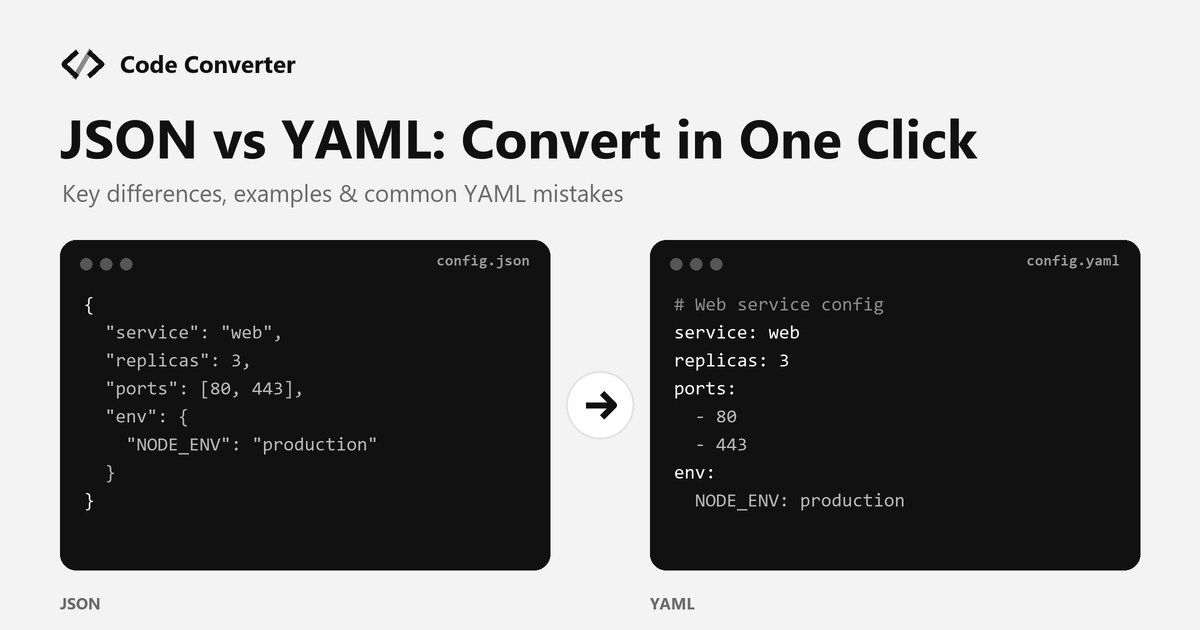
JSON vs YAML: the same data in both formats
JSON
{
  "service": "web",
  "replicas": 3,
  "debug": false,
  "ports": [80, 443],
  "env": {
    "NODE_ENV": "production",
    "LOG_LEVEL": "info"
  }
}
YAML
# Web service config
service: web
replicas: 3
debug: false
ports:
  - 80
  - 443
env:
  NODE_ENV: production
  LOG_LEVEL: info
The YAML version has no braces, no commas and no quotes around simple strings, and it can carry a comment. That is why most config files people edit by hand are YAML.
JSON vs YAML: when to use each
Use JSON when: - You're sending data between services or to a browser - A program writes the file, not a person - You want strict parsing with no surprises
Use YAML when:
- People edit the file by hand (deployments, pipelines, app settings)
- You need comments to explain settings
- The tool requires it: Kubernetes manifests, docker-compose.yml, GitHub Actions workflows, Helm values
How to convert JSON to YAML online
- Open the free JSON to YAML converter.
- Paste your JSON. If it's messy, tidy it first with the JSON beautifier.
- Click Convert and copy the YAML output.
- Add comments where they help the next person reading the file.
Need to go back? The YAML to JSON converter does the reverse, which is handy when an API expects JSON but your config lives in YAML.
Common YAML mistakes (and how to avoid them)
- Tabs instead of spaces. YAML does not allow tabs for indentation. Use 2 spaces consistently.
- Wrong indentation. One extra space can move a key under the wrong parent. Converting from JSON avoids this, because the structure is generated for you.
- The "Norway problem". In older YAML 1.1 parsers, unquoted
NO,yes,onandoffturn into booleans. Quote values like"NO"(the country code) to keep them as strings. - Version numbers and leading zeros.
version: 1.10becomes the number1.1, andzip: 01234may lose its zero. Quote them:"1.10","01234". - Special characters. Values that start with
*,&,!,@or contain:need quotes.
More tools for config files
- .env to YAML: turn environment variable files into YAML for Docker Compose or Kubernetes.
- tfvars to YAML: reuse Terraform variables in YAML-based tools.
- JSON diff: compare two JSON files to see exactly what changed.
- JSON schema generator: create a schema from sample JSON to validate config.
FAQ
Is YAML better than JSON? In the JSON vs YAML debate, neither is better everywhere. YAML is easier for people to read and edit, and supports comments. JSON is stricter and faster to parse, which makes it better for APIs and machine-generated data.
Can every JSON file be converted to YAML? Yes. YAML 1.2 is a superset of JSON, so any JSON data has a YAML equivalent. Converting YAML to JSON loses comments and anchors, but the data itself stays the same.
Why does Kubernetes use YAML? Kubernetes manifests are written and reviewed by people. YAML is shorter, supports comments, and is easier to read in code reviews. Kubernetes also accepts JSON, since it's valid YAML.
Is the JSON to YAML converter free? Yes. The JSON to YAML converter is free to use online.
Try it now: open the JSON to YAML converter, paste your JSON and get clean YAML in one click.