Moving infrastructure from Terraform to CDK lets you write it in a real programming language like TypeScript or Python. You get loops, types, IDE autocomplete and reusable constructs instead of plain HCL. Rewriting every resource by hand is slow and easy to get wrong, though. This guide explains when a migration makes sense, how to do it step by step, and how our free online converter saves hours of manual work.
Why move from Terraform to the AWS CDK?
Terraform is a great tool, but teams that run only on AWS often find that the AWS Cloud Development Kit fits their workflow better. Here are the main reasons:
- Real programming languages: TypeScript, Python, Java, C# and Go instead of HCL.
- Type safety: your editor catches typos in resource properties before you deploy.
- Higher-level constructs: one
ApplicationLoadBalancedFargateServicereplaces dozens of separate resources. - Native AWS integration: the CDK synthesizes CloudFormation, so there is no state file to store, lock or back up.
- Testing: unit-test your infrastructure with Jest or pytest, the same way you test application code.
- One language for the whole team: developers can read and change infrastructure without learning a new syntax.
AWS CDK vs Terraform: a quick comparison
| Feature | Terraform | AWS CDK |
|---|---|---|
| Language | HCL | TypeScript, Python, Java, C#, Go |
| State | State file (S3, Terraform Cloud) | Managed by CloudFormation |
| Multi-cloud | Yes | AWS only (CDKTF for others) |
| Abstractions | Modules | Constructs (L1, L2, L3) |
| Testing | Terratest | Native unit tests |
| Rollback | Manual | Automatic CloudFormation rollback |
If you deploy to several clouds, Terraform is still the better choice. If everything you run lives in AWS, the CDK usually gives you less code and better tooling.
Step-by-step: convert your HCL online
- Open the free Terraform to CDK converter.
- Paste your
.tfcode: resources, variables and outputs. - Choose your target language.
- Click Convert and copy the generated code.
- Paste it into your CDK app's stack file.
- Run
cdk synthto check that the template builds, thencdk diffto review the changes before you deploy.
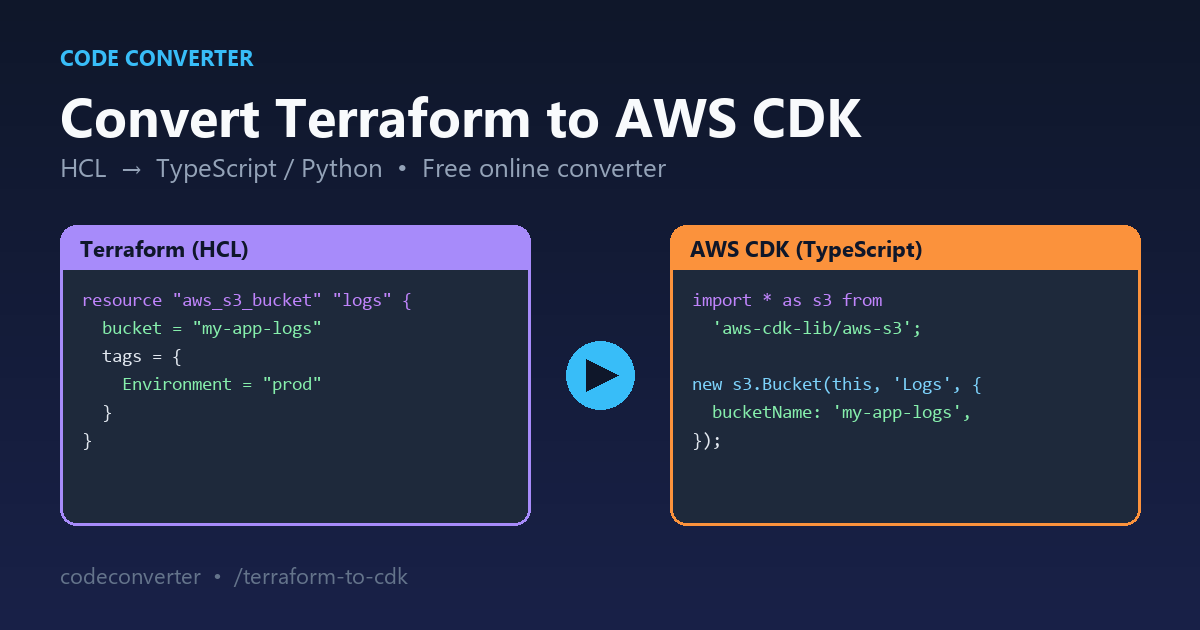
Example: an S3 bucket in HCL and in CDK
Terraform (HCL):
resource "aws_s3_bucket" "logs" {
  bucket = "my-app-logs"
  tags = {
    Environment = "prod"
  }
}
AWS CDK (TypeScript):
import * as s3 from 'aws-cdk-lib/aws-s3';
import { Tags } from 'aws-cdk-lib';

const logs = new s3.Bucket(this, 'Logs', {
  bucketName: 'my-app-logs',
});
Tags.of(logs).add('Environment', 'prod');
The CDK version is about the same length, but you now get autocomplete for every bucket property, and you can wrap it in a function or class to reuse it across stacks.
Common pitfalls when migrating
- Existing resources: the CDK creates new resources by default. Use
cdk importto adopt resources that already exist, so nothing is deleted and recreated. - State file: once the CDK manages a resource, remove it from Terraform state with
terraform state rmso the two tools never fight over it. - Variables and outputs:
variableblocks become constructor props orCfnParameter, andoutputblocks becomeCfnOutput. - Modules: rewrite reusable modules as custom CDK constructs.
- Providers: the CDK covers AWS only. For other clouds, look at CDK for Terraform (CDKTF).
- Resource names: CloudFormation generates physical names unless you set them, so pin names for anything other systems depend on.
Migrate in small steps
Do not convert your whole codebase in one go. Start with a low-risk stack such as a logging bucket or a dev environment. Convert it, import the existing resources, and confirm cdk diff shows no changes. Then move on to the next stack. This keeps every step easy to review and easy to roll back.
Going the other way?
Need to move back to HCL? Use our CDK to Terraform converter. You can also tidy your HCL first with the Terraform formatter and check it with the Terraform validator.
FAQ
Is the Terraform to CDK converter free? Yes. It runs in your browser, with no sign-up.
Can I generate CDK Python code? Yes. Choose Python as the target language before you convert.
Will converted code deploy without changes?
Most simple resources will. Always run cdk synth and cdk diff before you deploy, and check IAM policies and resource names.
Does it support Terraform modules? Resources inside modules convert. Turning the module structure into CDK constructs is a manual step.
Ready to migrate? Convert your Terraform to CDK now →